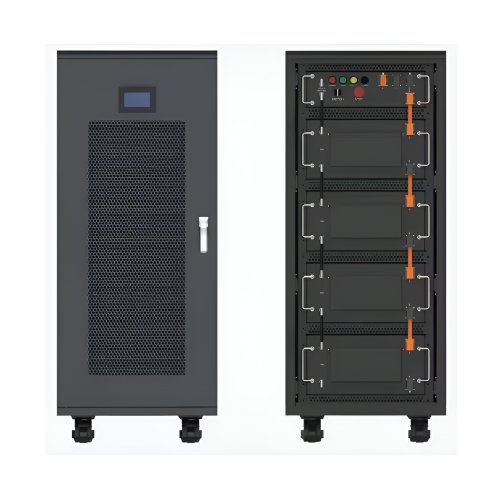
How To Use Bms: A Comprehensive Guide To Battery Management Systems
A Battery Management System (BMS) is the intelligent core of any modern battery pack, from electric vehicles and solar energy storage to high-end drones and personal electronics. Its primary role is to ensure the safety, longevity, and reliability of the battery cells it monitors and controls. Understanding how to properly use a BMS is crucial for anyone working with or relying on battery-powered systems. This guide provides a detailed walkthrough of its operation, from initial setup to daily use and troubleshooting.
Understanding the Core Functions
Before diving into usage, it's essential to grasp what a BMS does. Its key functions are:Monitoring: It continuously tracks cell voltages, pack current, and temperature.Protection: It safeguards the battery from dangerous conditions like over-voltage, under-voltage, over-current, and short circuits by disconnecting the load or charger.Balancing: It ensures all cells in the series string have the same voltage, maximizing the pack's capacity and life.Communication: It provides data on State of Charge (SoC), health, and fault conditions via interfaces like UART, CAN bus, or I2C.
Step-by-Step Usage Guide
Step 1: Selection and Pre-Installation
Using a BMS starts with choosing the right one. You must match the BMS specifications to your battery pack.Cell Count: Select a BMS that supports the exact number of series cells (S) in your pack (e.g., 4S, 8S, 16S).Current Rating: Choose a BMS with a continuous current rating significantly higher than your system's maximum expected draw. A good rule of thumb is a 20-30% margin.Chemistry: Ensure the BMS is configured for your battery chemistry (e.g., Li-ion, LiFePO4, Lipo), as the voltage thresholds for charging and discharging differ.Features: Decide if you need features like Bluetooth connectivity, a dedicated communication port, or a high number of balancing currents.
Step 2: Wiring and Connection
This is the most critical phase. Incorrect wiring can permanently damage the BMS and the battery.
1. Power Down: Ensure the battery pack is not connected to any load or charger. 2. Cell Connection: Connect the BMS's balance leads to the individual cell junctions in the series string. This must be done in the correct order, typically starting from the most negative cell (B0) and progressing to the most positive (B+). Double-check every connection with a multimeter before proceeding. A mistake here can cause a short circuit. 3. Main Leads: Connect the main negative lead of the battery pack (P-) to the B- terminal on the BMS. The load/charger will be connected to the P- terminal. 4. Final Check: Before connecting the main positive lead (P+) from the battery to your system, verify all connections once more.
Step 3: Initial Activation and Configuration
Many BMS units enter a sleep mode when the voltage is too low. To "wake" them:Connect a charger to the P- and P- terminals. The charging voltage often activates the system.Some BMS models have a specific "wake-up" procedure, such as pressing a button or briefly shorting two terminals (consult your BMS manual).
For smart BMS with communication capabilities, this is the time to connect to it via a PC app or Bluetooth. You can often view real-time data, check that all cell voltages are reading correctly, and verify that the temperature sensors are functional.
Step 4: Routine Operation and Monitoring
During normal use, the BMS operates autonomously. Your role is to monitor its status.Charging: The BMS will automatically stop the charge when any cell reaches the maximum voltage. Observe the charging process initially to ensure the BMS balances the cells effectively.Discharging: The BMS will cut off power to the load if the voltage of any cell drops too low, protecting it from deep discharge.Data Monitoring: Regularly check the BMS data for any anomalies, such as one cell consistently having a higher or lower voltage than the others, which indicates a potential balancing issue or a failing cell.
Practical Tips and Best PracticesThermal Management: Always install the BMS in a well-ventilated area. If it has a temperature sensor, attach it securely to the center of the battery pack. Avoid exposing the BMS to moisture or direct vibration.Understand the Alarms: Familiarize yourself with the meaning of any status LEDs or error codes on your BMS. A flashing red light usually indicates a fault like over-current or over-temperature.Balancing is Key: Balancing typically only occurs when the cells are near full charge. Therefore, periodically performing a full charge cycle (rather than frequent partial charges) helps maintain cell balance.Safety First: Never bypass the BMS to force a charge or discharge. This defeats its primary safety function and creates a significant fire hazard.
Important Precautions and TroubleshootingPrecaution: Static Sensitivity: Handle the BMS with care, preferably using an anti-static wrist strap, as its electronics are sensitive to electrostatic discharge.Precaution: No Load on Balance Wires: The thin balance wires are for monitoring only. Never connect a load or charger to them.Troubleshooting: BMS Not Turning On: Check the voltage of the entire pack and individual cells. If any cell is below the BMS's low-voltage disconnect threshold, you may need to "jump-start" it with a charger or a separate power supply applied carefully to the main terminals.Troubleshooting: Unexpected Shutdown During Use: This is likely an over-current or under-voltage event. Check if the load is drawing too much power. Let the battery rest and try a smaller load.Troubleshooting: Poor Range/Runtime: This is often a sign of cell imbalance. Check the individual cell voltages when the pack is near empty. If one cell is significantly lower than the others, it is triggering the BMS to shut down early, leaving usable energy in the other cells. A full charge cycle with balancing may resolve this.
By following this guide, you can confidently integrate a BMS into your battery project, ensuring it operates safely and delivers performance for years to come. The BMS is a guardian; understanding its language and respecting its limits is the key to unlocking the full potential of your battery system.
Product Catalogs